MDWEQ6 PARAMETRIC EQ SUPPORT
MDW Hi-Res Parametric EQ MDWEQ6 FAQ
Answers to common questions here regarding the MDW Hi-Res Parametric EQ Version MDWEQ6
MDWEQ6 FAQ – 2025
This new set of FAQs relate to the MDWEQ6 set of plugins.
EQ6 Operation (5)
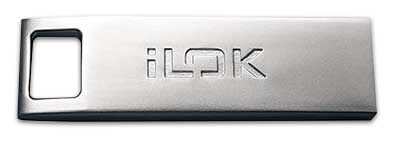
Yes, an iLok2 or iLok 3 USB dongle is required to authorize MDWDRC and MDWEQ6 plugins via the latest iLok License Manager app. An original iLok will NOT work to authorize MDW plugins.
iLok Cloud Support
We are currently working to offer iLok Cloud for our plugins as well as the current iLok2 or 3 USB dongle. This is especially important for customers who do not have an iLok USB dongle.
iLok Cloud is a ‘virtual iLok’ that can be used with any license type (demos, perpetuals, & NFRs) and a continual internet connection. Once you launch a Mac or Windows application, a Cloud session will open and that’s it! EQ6 & DRC2 come with 2 auths so one can be put on an iLok dongle and the other in the iLok Cloud (DRC3 only comes with 1 authorization).
Check your licenses in the latest iLok Manager app. The example below shows the two EQ6 licenses, one on the iLok dongle the other in iLok Cloud.

We are working on fixing some issues with iLok Cloud not showing up and will let you know when the project has been completed.
George explains why we use iLok2 or 3 USB dongles, click to play the video…

Here are two interesting articles on iLok from Production Expert:
- https://www.production-expert.com/production-expert-1/the-pros-and-cons-of-using-ilok-licences
- https://www.production-expert.com/production-expert-1/what-500-music-and-post-pros-really-think-about-ilok
Yes, they will. You must be using Pro Tools 11.1 or 10.3.8 (or later), and you must have the latest iLok License Manager installed for proper compatibility with older sessions.
Yes, MDWEQ6 can load sessions with MDWEQ5 instantiated and the settings will be the same.
If your presets or settings don’t use the new HiQ filter types, then the settings will open fine in EQ5. If you do use the new HiQ filter types in your session or presets, MDWEQ5 will give you a warning in the plugin to let you know that the settings aren’t compatible.
Yes, you can enable the mouse wheel in the MDWEQ6 preferences. The Preferences are accessible in MDWEQ5 and 6 by opening the Band Settings menu.
EQ6 Purchasing, Demo & Plugin Guide (1)
Yes, an iLok2 or iLok 3 USB dongle is required to authorize MDWDRC and MDWEQ6 plugins via the latest iLok License Manager app. An original iLok will NOT work to authorize MDW plugins.
iLok Cloud Support
We are currently working to offer iLok Cloud for our plugins as well as the current iLok2 or 3 USB dongle. This is especially important for customers who do not have an iLok USB dongle.
iLok Cloud is a ‘virtual iLok’ that can be used with any license type (demos, perpetuals, & NFRs) and a continual internet connection. Once you launch a Mac or Windows application, a Cloud session will open and that’s it! EQ6 & DRC2 come with 2 auths so one can be put on an iLok dongle and the other in the iLok Cloud (DRC3 only comes with 1 authorization).
Check your licenses in the latest iLok Manager app. The example below shows the two EQ6 licenses, one on the iLok dongle the other in iLok Cloud.
We are working on fixing some issues with iLok Cloud not showing up and will let you know when the project has been completed.
George explains why we use iLok2 or 3 USB dongles, click to play the video…
Here are two interesting articles on iLok from Production Expert:
- https://www.production-expert.com/production-expert-1/the-pros-and-cons-of-using-ilok-licences
- https://www.production-expert.com/production-expert-1/what-500-music-and-post-pros-really-think-about-ilok